If you want to insert some symbols or special characters that are not found on the keyboard in that case you need to use the Symbols option.
Using Symbols
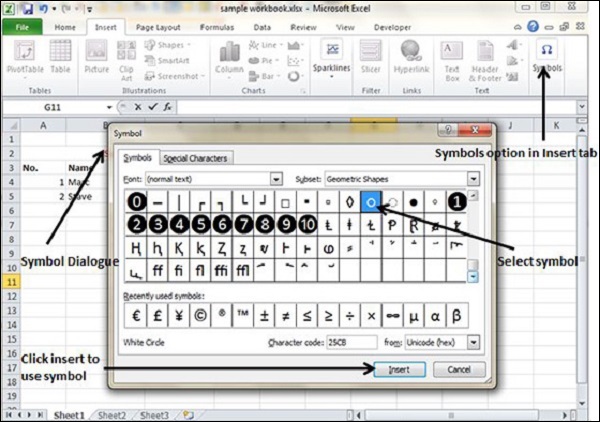
Go to Insert » Symbols » Symbol to view available symbols. You can see many symbols available there like Pi, alpha, beta, etc.
Select the symbol you want to add and click insert to use the symbol.
Using Special Characters
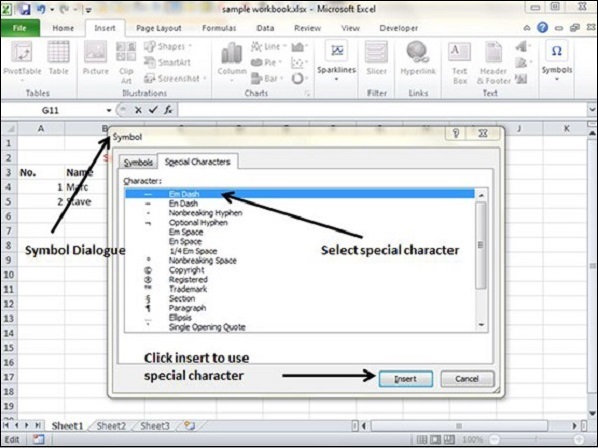
Go to Insert » Symbols » Special Characters to view the available special characters. You can see many special characters available there like Copyright, Registered etc.
Select the special character you want to add and click insert, to use the special character.


No comments:
Post a Comment